Turn the machine on
Teach your dashboard to read itself, then put it in your WhatsApp: text it one line a day and the board writes itself. Every Sunday, one word gets you the sermon.
Add the Weekly Review button
Until now your dashboard shows what you told it. This button makes it read itself and hand you the honest version of your week. Open your Life OS in the builder, switch to Build mode, paste this:
Add ONE feature to my Life OS and nothing else: a WEEKLY REVIEW button on the home dashboard. When I press it, compile my last 7 days into one review card: money in against money out, training days against my target, sleep average, what I shipped, and one honest sentence about the week. At the bottom of the card, a REALITY CHECK line: compare my actual pace this week against my 90 day goal and state, plainly, the date I land on at this pace. No sugarcoating. Triggered only by me pressing the button, nothing automatic. No forms, chat and buttons only, and keep the design exactly as it is.
Press it
When it finishes, press Weekly Review. Read the card, especially the one honest sentence. That sentence is the app doing what nobody else in your life will do for free.
Two answers first
The Scribe needs exactly two things baked in: who you are doing this for, in your own words, and the time of day you will report your numbers.
Question 1 of 2
Question 2 of 2
Build The Scribe
Hit BUILD MY PROMPT, open your Life OS in the builder, Build mode, paste, send.
Answer the questions above, then hit BUILD MY PROMPT. Your personal message appears here.
Put it in your WhatsApp
Open The Scribe's agent settings in the builder and find Channels. Connect WhatsApp (Telegram works too) and follow the steps it shows you. When it is done, your app has a phone number in your pocket.
Now two moves that decide whether this survives past Thursday. One: pin The Scribe chat to the top of your WhatsApp. You open WhatsApp forty times a day, and an unanswered pinned chat stares at you every single time. Two: set a daily repeating reminder on your phone named TEXT YOUR NUMBERS at your check in time. Do both. They feel dumb. They are the machine.
Send the test
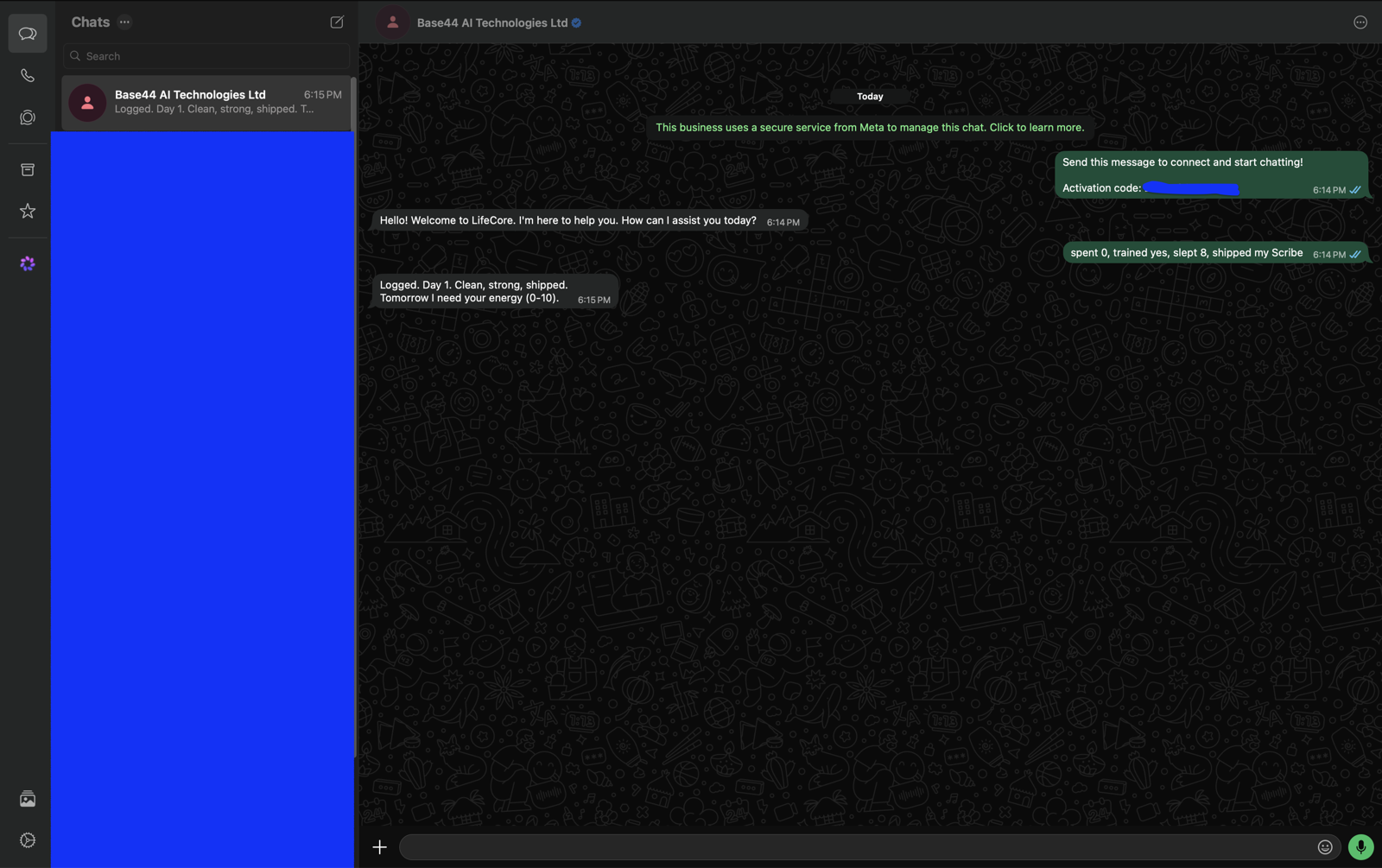
Text The Scribe from WhatsApp: spent 0, trained yes, slept 8, shipped my Scribe. Then open your app. Today's log exists, today's square is lit, and you never opened the builder.
This is what a working setup looks like:
Every Sunday, one word
Sunday morning your reminder fires like every other day, but this one is different. You text The Scribe one word: Sunday.
First it answers with who you are doing this for, their names, not a motivation quote, because by Sunday you will have forgotten. Then it compiles your week, logs whatever was missing, marks the days you went silent, and hands you one honest sentence about the week you actually had.
Then open the app and press Weekly Review. The card plus the sentence is the whole meeting with yourself. Ten minutes, once a week.